

Get Your Nordlys API Key
Sign up here to create an account and generate your API key.Quick Setup
Run Installer
Launch Claude Code
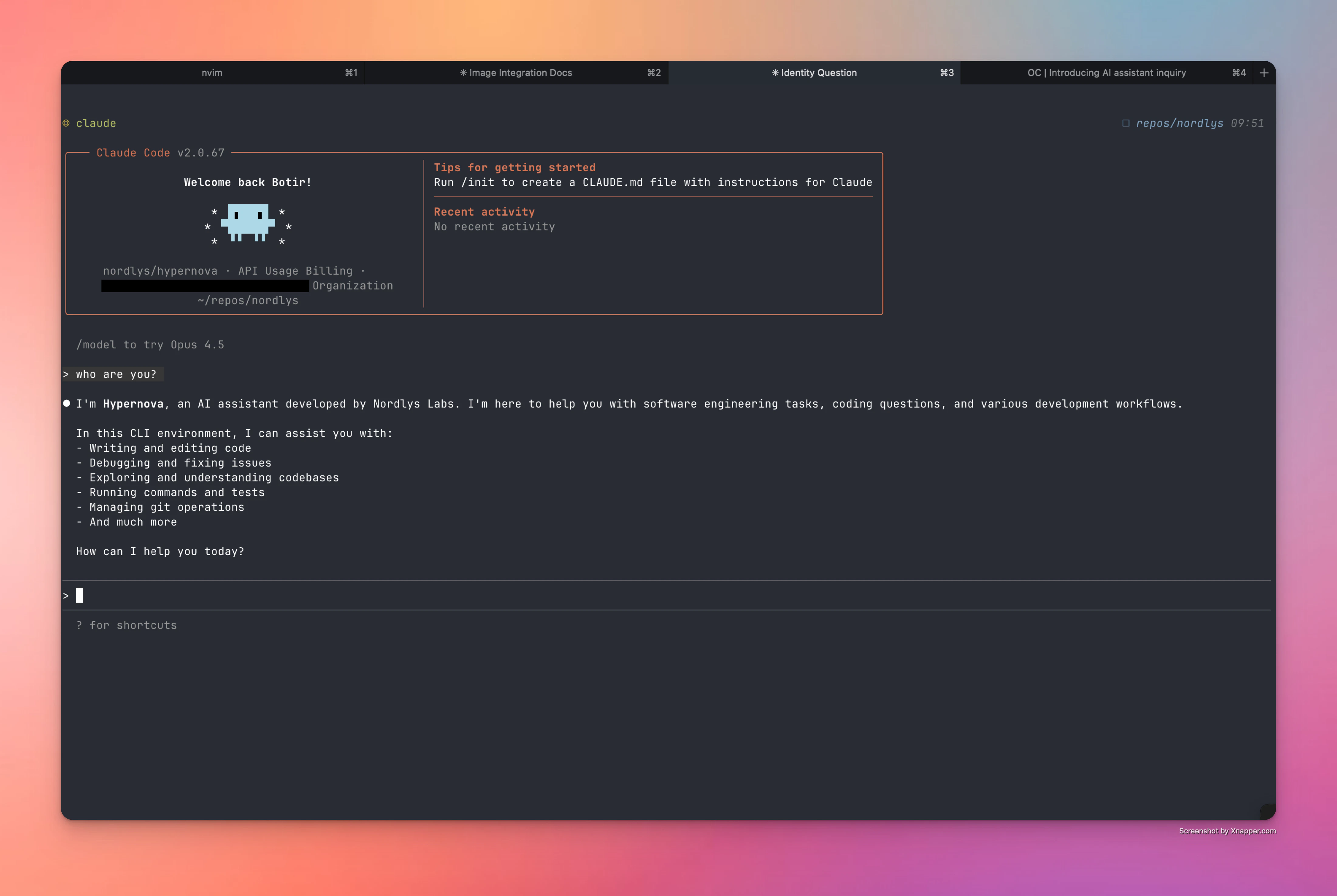
Verify Setup
Ask “who are you?” to confirm Hypernova is active.
Alternative Setup Methods
Troubleshooting
Connection Issues
Connection Issues
- Verify your API key at nordlyslabs.com/api-platform/orgs
- Check that
ANTHROPIC_BASE_URLis set tohttps://api.nordlyslabs.com/v1 - Restart Claude Code after configuration changes
Authentication Errors
Authentication Errors
- Regenerate your API key from the Nordlys dashboard
- Ensure you’re using your Nordlys API key, not the original Claude API key
- Check for extra spaces or characters in the configuration file
Next Steps
Monitor Usage & Savings
Track your cost savings and usage analytics in real-time
API Documentation
Learn about Nordlys’s API capabilities and advanced features
Framework Integration
Integrate Nordlys into your applications and workflows
Get Support
Troubleshooting guides and support resources
Was this page helpful? Contact us at
[email protected] for feedback or assistance
with your Claude Code integration.