

Get Your Nordlys API Key
Sign up here to create an account and generate your API key.Quick Setup
Download Cursor
Download and install Cursor IDE from the official website.Download Cursor
Open Cursor Settings
Click the settings icon (⚙️) in the top-right corner of Cursor to open Settings.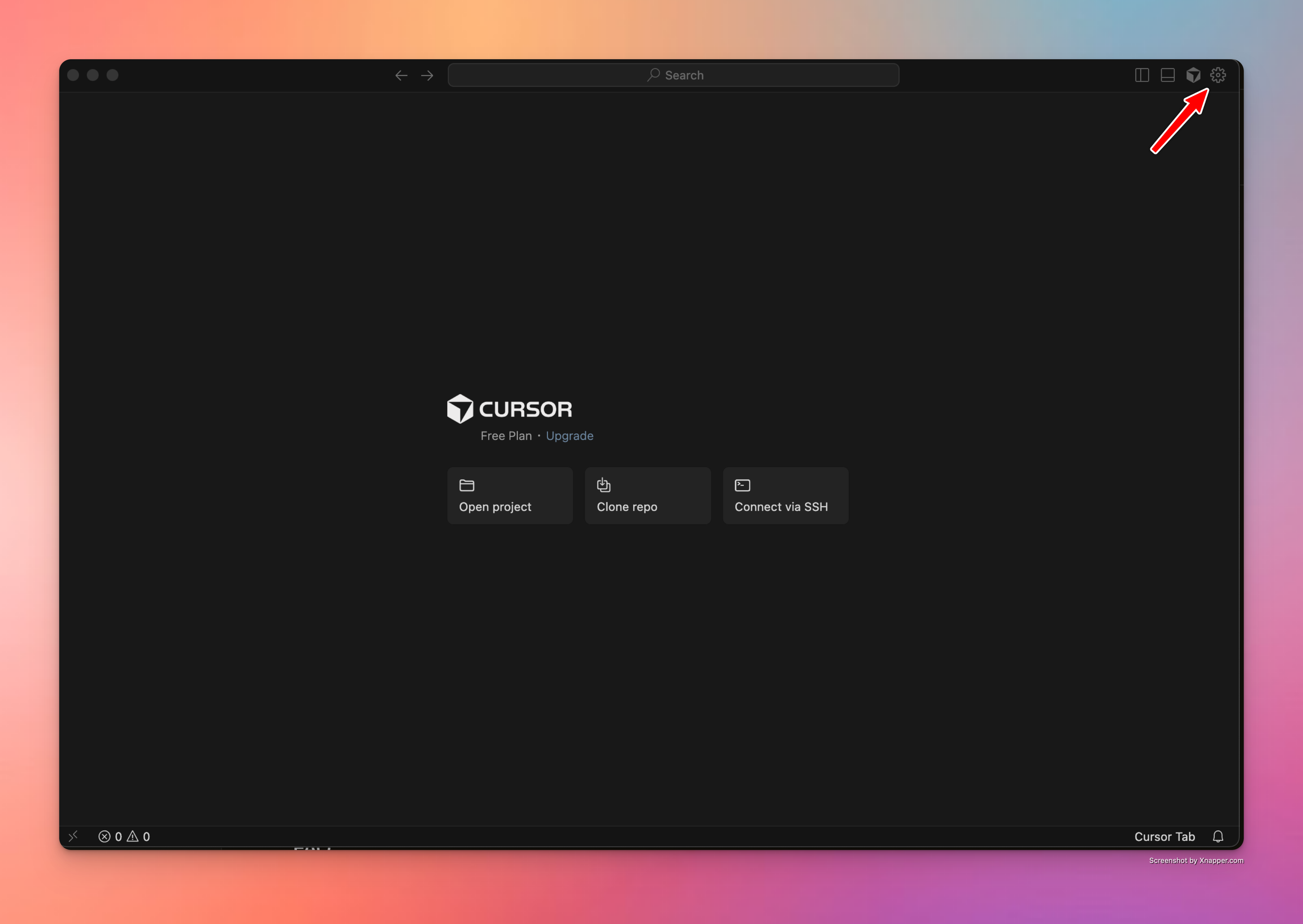
Navigate to Models
In the left sidebar, click on Models to view available AI models.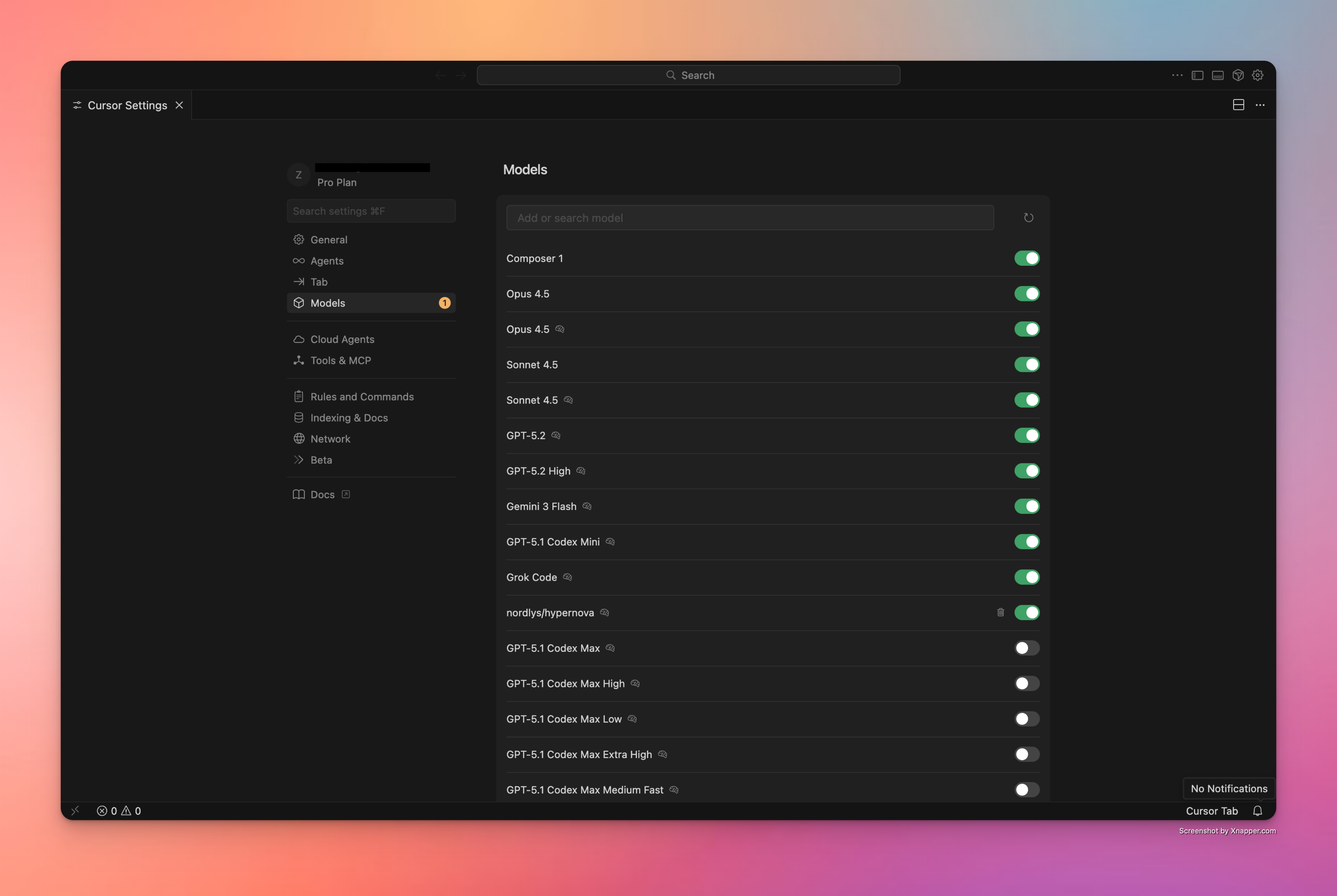
Add Nordlys Model
Click + Add Custom Model and enter 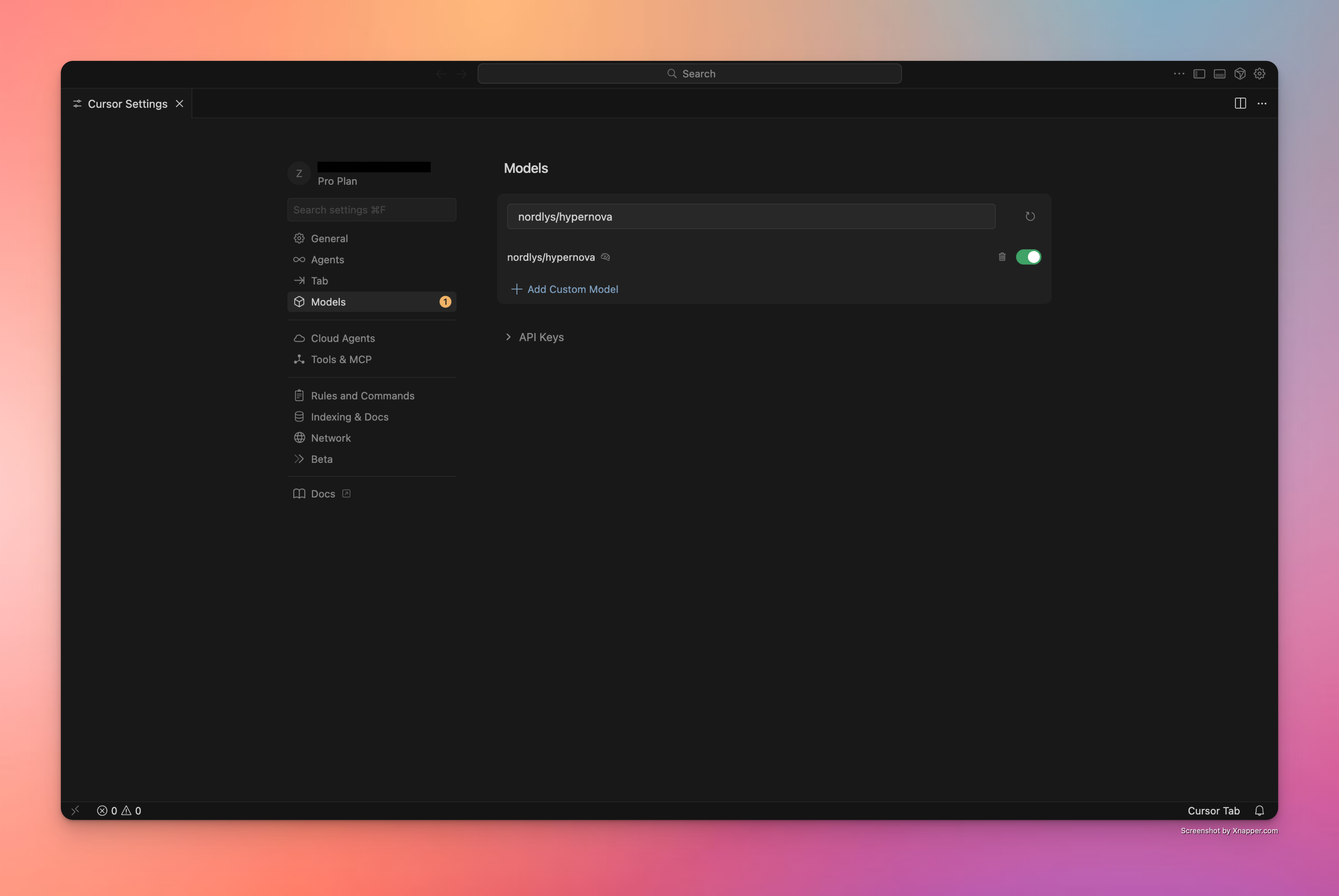
nordlys/hypernova as the model name. Enable the toggle to activate it.Configure API Keys and Base URL
Expand the API Keys section and configure the following: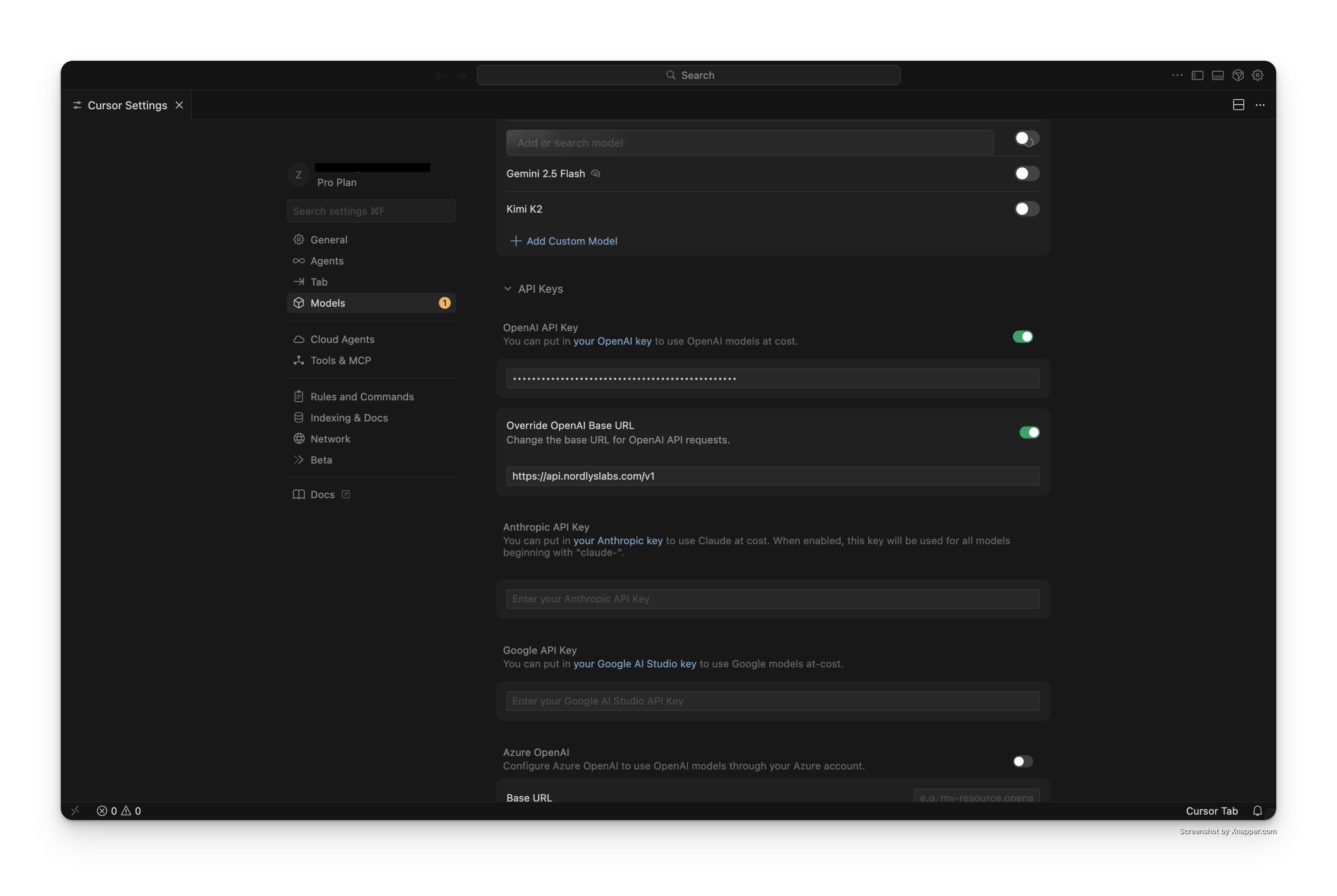
- Enable the OpenAI API Key toggle
- Enter your Nordlys API key (get it here)
- Enable Override OpenAI Base URL
- Enter the base URL:
Start Coding
Close settings and start using Cursor with the Nordlys model.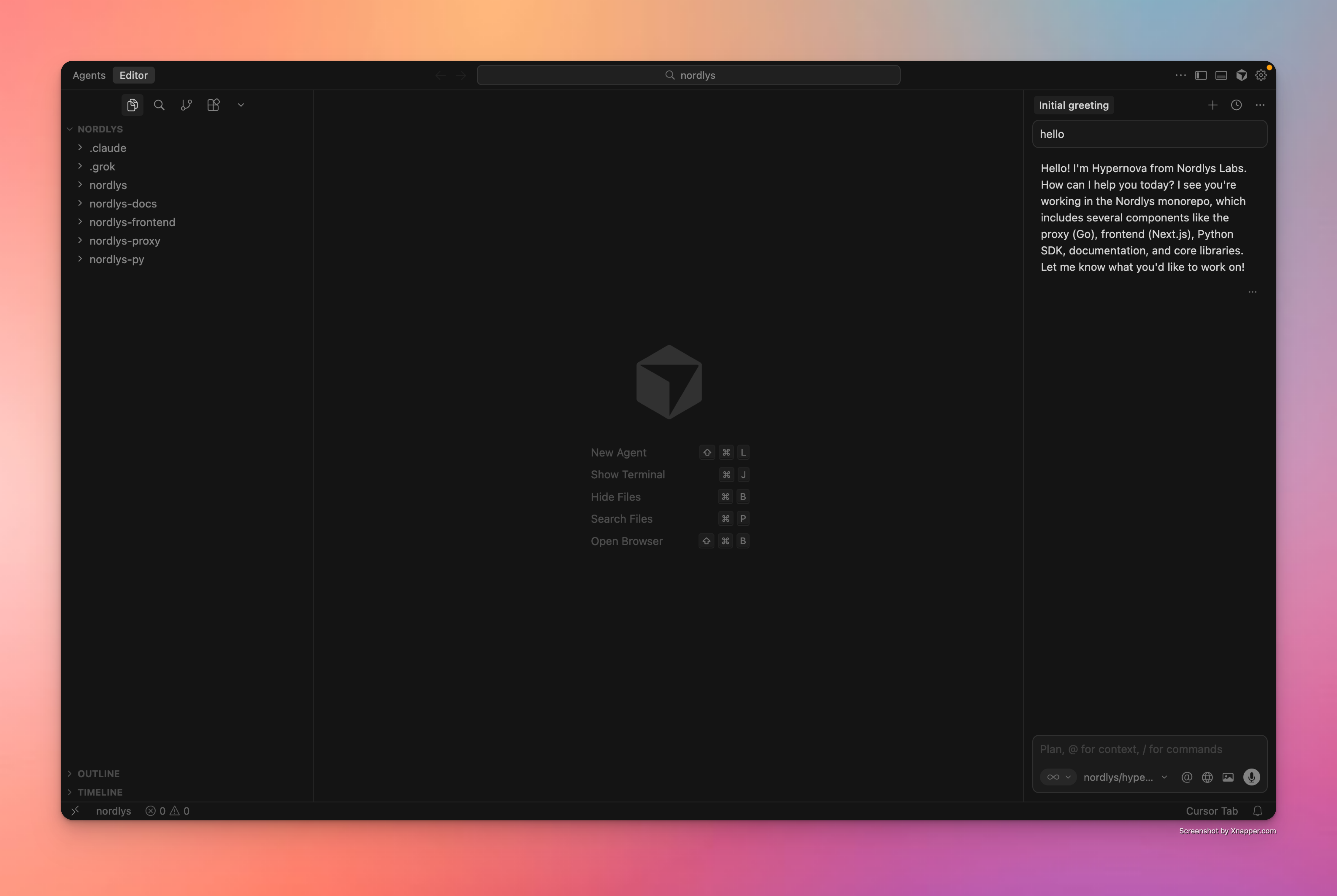
Configuration Details
Features with Nordlys
- Mixture of Models Activation: The right specialists activate per prompt
- Cost Optimization: Intelligent model selection for better value
- Same Experience: No changes to your Cursor workflow
- Real-time Analytics: Track usage and savings in the Nordlys dashboard
Troubleshooting
Connection Issues
Connection Issues
- Verify your API key at nordlyslabs.com/api-platform/orgs
- Check that Base URL is set to
https://api.nordlyslabs.com/v1 - Restart Cursor after configuration changes
- Ensure the API Key toggle is enabled
Model ID
Model ID
- Add
nordlys/hypernovaas a custom model using + Add Custom Model - Ensure the model toggle is enabled after adding
- Test with a simple code completion request after setup
Authentication Errors
Authentication Errors
- Regenerate your API key from the Nordlys dashboard if needed
- Ensure you’re using your Nordlys API key, not OpenAI/Anthropic keys
- Check for extra spaces or characters in the API key field
- Verify the Base URL override is properly enabled
Next Steps
Monitor Usage & Savings
Track your cost savings and usage analytics in real-time
API Documentation
Learn about Nordlys’s API capabilities and advanced features
Other IDE Extensions
Explore other AI development tools with Nordlys integration
Get Support
Troubleshooting guides and support resources
Was this page helpful? Contact us at [email protected] for feedback or assistance with your Cursor integration.